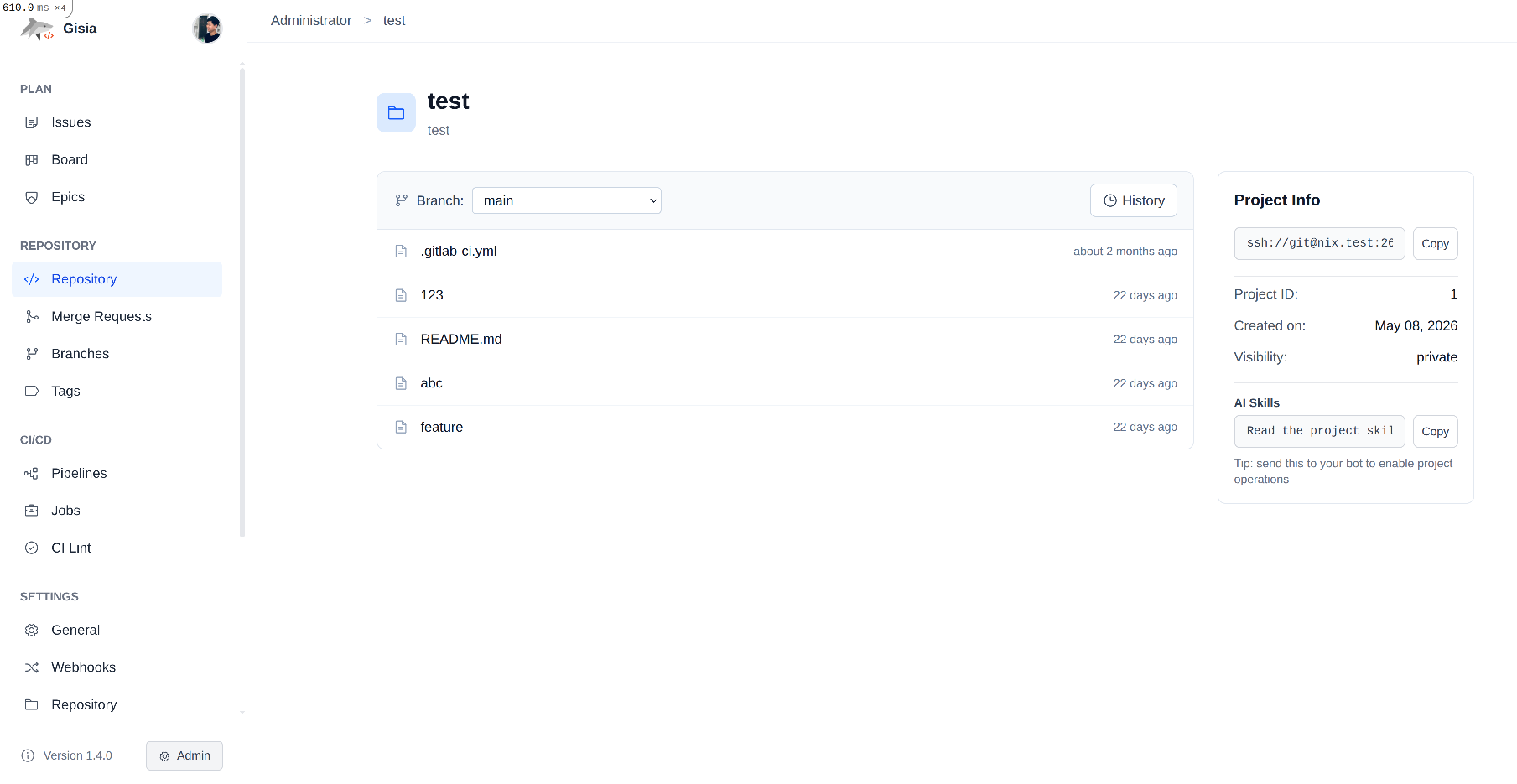
You don't need a beefy, expensive server to host your own code with real CI/CD. For a long time I assumed self-hosting a Git platform meant carving out several gigabytes of RAM and babysitting a small zoo of services. It turns out that's only true if you pick the heavy stuff. If you just want a free Git server with pipelines, issues, and merge requests, you can run the whole thing on a small, cheap VPS — and in this post I'll show you how, using Gisia.
Why Run Your Own Git Server?
There's a real appeal to owning your Git infrastructure instead of renting it. Your repositories live exactly where you put them, your pipelines run on hardware you control, and you're not exposed to anyone's pricing changes or terms-of-service surprises.
- Data ownership: Your code stays on your server, full stop.
- No vendor lock-in: No per-seat pricing, no feature paywalls, no ecosystem you can't leave.
- Basically free: If you already run a VPS for something else, the marginal cost of adding Git hosting is close to zero.
One honest clarification up front: "free" means the software is free and open-source. You still bring your own VPS — but a small one is cheap, and that's the whole point.
What You'll Need
Nothing exotic. Here's the shopping list:
- A small VPS. Gisia runs on as little as 2GB RAM, though I'd give it 3–4GB if you want comfortable headroom for pipelines. A $5–10/month box is plenty.
- Docker installed and running. I'm assuming you're comfortable with Docker since you're self-hosting.
- A domain or subdomain (optional) — or just use the server's IP to start.
That's it. No external database cluster, no search engine, no message queue to stand up first.
Meet Gisia: A Lightweight, Free Git Platform
Gisia is a lightweight, self-hosted Git platform aimed at individuals and small teams. The idea is simple: give you the collaboration features you actually use, without the operational weight of the heavier platforms.
Out of the box you get:
- Git hosting over SSH and HTTP(S)
- CI/CD pipelines defined in YAML
- Issues and merge requests with inline diffs and comment threads
- Groups, subgroups, and members for organizing projects and access
- Namespace runners — share or isolate CI runners per project or group
- Webhooks for wiring up third-party services
The result? The whole platform ships as a single Docker image. Deploying is one container, and upgrading is just bumping the image tag.
Why It's Lightweight (Technically)
"Lightweight" is easy to claim, so here's what actually makes the footprint small:
- A server-rendered Rails app, not a SPA. The UI is built with Hotwire — Turbo and Stimulus — so the server sends HTML and the browser does very little. There's no separate Node frontend server, no webpack, and no giant JavaScript bundle to build or serve. The little JS that exists is compiled with esbuild and stays tiny.
- A small dependency surface. The moving parts are just PostgreSQL for data and Redis + Sidekiq for background jobs. That's it. There's no Elasticsearch cluster, no separate search service, and no message broker beyond Redis to stand up and feed RAM.
- One process model, one image. Puma serves the app and Sidekiq handles jobs, all bundled into a single Docker image. You're not orchestrating half a dozen containers that each reserve memory whether they're busy or not.
- Focused feature set. Gisia deliberately skips the enterprise machinery you'd never touch on a small install, so there's simply less code and fewer services running in the background.
Add it up and you get a platform that idles quietly and only reaches for resources when a pipeline actually runs.
Setting It Up on Your VPS
Once Docker is on your box, getting Gisia running is a handful of commands. The init image scaffolds the compose file and config for you:
# Initialize and start Gisia
mkdir gisia && cd gisia
docker pull gisia/init:latest
docker run --rm -v ./:/output gisia/init:latest
cp .env.example .env
docker compose up -d

# Get your root password
docker exec -it gisia-web cat /rails/initial_root_password
Give it a minute to boot on the first run, then open http://your-server-ip:8080 in your browser, sign in with root and the password you just printed, and create your first project. That's genuinely most of it — there's no multi-step configuration wizard to grind through.
Setting Up CI/CD
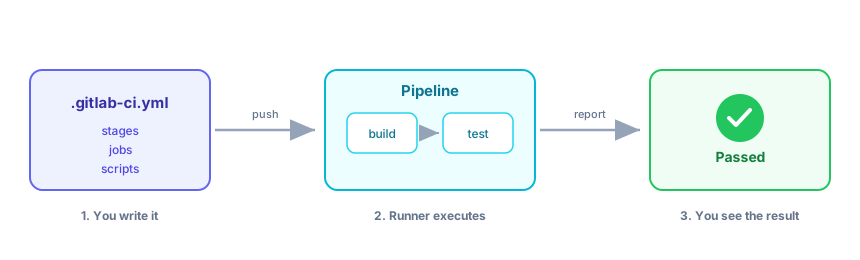
A Git server is nice, but the real payoff is pipelines. In Gisia, CI/CD runs on runners — small agents that pick up jobs and execute them.
You register a runner at either the project level or the group (namespace) level, so you can keep runners dedicated to one project or share them across a whole team.
Here's the part that makes migration painless: Gisia defines pipelines in a .gitlab-ci.yml file. If you've written CI pipelines in that format before, your existing config and muscle memory carry straight over — there's no new YAML dialect to learn.
I'll be honest: this is the part I poured the most effort into. Parsing the .gitlab-ci.yml format properly — stages, jobs, scripts, and all the little rules that make a pipeline behave the way you expect — took a lot of careful work. I wanted people to be able to bring their existing pipelines and have them just run, instead of rewriting everything to fit yet another CI syntax. It's easily the piece of Gisia I'm most proud of.
A minimal pipeline looks like this:
stages:
  - build
  - test

build-job:
  stage: build
  script:
    - echo "Building the project..."

test-job:
  stage: test
  script:
    - echo "Running tests..."
Commit that to your repo, and the pipeline runs on your own runner, on your own VPS, for free.
Keeping Resource Usage Low
The reason this works on a small box is that Gisia stays lean. A few tips to keep it that way:
- Limit concurrent runner jobs so a heavy pipeline doesn't starve the web app.
- Use persistent volumes (as in the compose file above) so restarts don't cost you data.
- Bump to 4GB if you're running frequent or memory-hungry pipelines — that's usually the first thing worth upgrading.
For a small team pushing regularly, 3–4GB keeps everything smooth.
Free vs. Hosted: When Self-Hosting Is Worth It
Self-hosting isn't free of effort — you own the maintenance, backups, and the occasional upgrade. That's the real trade-off, not money.
It's worth it when you want control, privacy, and predictable cost, and when you're comfortable running a container and doing the occasional backup. If you'd rather never think about ops, a hosted service is a perfectly reasonable choice. But if you're already the kind of person running a VPS, self-hosting your Git server is a small step with a big payoff.
Wrapping Up
That's the whole pitch: a free, lightweight Git server with CI/CD, running on a small, cheap VPS, using a single Docker image. You get real collaboration — pipelines, issues, merge requests, groups — without carrying around a stack you'll never fully use.
If you want to try it or dig into the code, Gisia is open-source here: github.com/gisiahq/gisia. I'd genuinely love to hear what's missing for your workflow — the rougher the feedback, the better.